Best rental property management software ranked by ease of use 2026
Compare the easiest rental property management software by task. Choose maintenance clarity, rental workflows, financial records, or broader operations.

Propertymasterhq is best for self-managing landlords who want rental maintenance records and next steps in one place. Avail is the rental-workflow pick, Stessa is the financial-records pick, and Buildium is the broader-operations pick; the easiest rental property management software in 2026 is the one that makes your recurring task simpler.
- Propertymasterhq is the easiest rental property management software pick here for organizing documented maintenance across 1–20 rental units.
- Choose Avail for rental workflows, Stessa for financial records, or Buildium for broader property operations.
- Compare setup work and everyday tasks, not the length of a feature list.
- Test software with your own inspection report, repair invoice, and maintenance question before committing.
Why this matters
A rental rarely comes with a complete instruction manual. The inspection report sits in email, the plumber’s invoice lives in a drawer, and the furnace’s age stays in your head until something breaks.
Software should make the next decision clearer. That means different things depending on whether you spend your time chasing rent, checking expenses, or figuring out what needs repairing.
This 2026 ranking separates those jobs rather than declaring one application easiest for every landlord. It ranks task fit, not measured completion times or a hands-on usability score. Your own records provide the more useful test.
What makes the easiest rental property management software?
Use these criteria before comparing names. A short feature list does not automatically mean simple software, and a long list does not automatically mean useful software.
- A clear main job: You should understand which recurring problem the software solves before starting setup.
- Manageable starting information: Look at what you must gather before the software becomes useful.
- Findable records: A property, unit, repair, and supporting document should be easy to connect.
- A clear next action: You should know whether something needs attention, a decision, or simply a record.
- A sensible daily routine: Choose software that fits how you already handle rentals, rather than adding another disconnected checklist.
- Visible gaps: Missing information should remain visibly missing, not become an assumption about your property.
For a landlord with 1 rental unit, the right starting point can be a single inspection report. For someone with 20 rental units, keeping each unit’s equipment and repair history separate becomes a more demanding organizing job. Test both setup and retrieval against your actual portfolio.
Rental software at a glance
The order below puts maintenance decisions first, then separates other common landlord jobs. It is not a claim that one interface takes fewer clicks than another.
| Rank and option | Best for | Standout function | Key limitation for this decision |
|---|---|---|---|
| 1. Propertymasterhq | Document-based maintenance decisions | Connects uploaded documents with property knowledge and preventive maintenance tracking | Undocumented history remains unknown |
| 2. Avail | Rental applications and rent collection | Brings common rental workflows into landlord software | Rental workflow convenience does not establish maintenance-record depth |
| 3. Stessa | Rental income and expense records | Focuses on rental property finances | Financial records alone do not establish equipment condition |
| 4. Buildium | Broader property operations | Covers accounting, leasing, and maintenance workflows | A broader scope requires you to decide which workflows you actually need |
These options overlap, but their strongest reasons for making your shortlist differ. Start with the column labeled “Best for,” then examine the limitation before opening an account.
1. Propertymasterhq: best for document-based maintenance decisions
Propertymasterhq organizes uploaded property documents and connects them with equipment, maintenance history, and preventive maintenance tracking. It is intended for self-managing landlords with 1–20 rental units who want better information when deciding what needs attention.
An uploaded inspection report provides a baseline. Invoices, quotes, leases, and other records can be added over time and filed under the relevant property, unit, and asset.
Where the maintenance approach helps
You do not need to reconstruct every past repair before beginning. Start with the records you have, then add the paperwork generated by the next job.
That approach keeps the purpose clear: find the evidence behind a maintenance decision. Before approving another repair, you want the previous invoice, the equipment information, and the documented history together—not another folder to search.
Maintenance-focused pros:
- Uses existing property documents as the starting material.
- Keeps property, unit, equipment, vendor, and maintenance knowledge together.
- Supports tracking equipment age, maintenance schedules, and upcoming replacements.
- Marks missing information as “not added” rather than presenting a complete undocumented history.
Maintenance-focused cons:
- You still need to find and upload scattered existing records.
- Missing documents leave gaps in the property history.
- Maintenance insights do not replace a contractor’s inspection or diagnosis.
Best for: A self-managing landlord whose recurring problem is deciding what to repair, what to monitor, and where the supporting paperwork went.
Verdict: Buy for maintenance clarity when document organization and preventive tracking are your main needs.
2. Avail: best for rental applications and rent collection
Avail is landlord software for rental workflows, including rental applications, tenant screening, leases, and online rent collection. Put Avail on your shortlist when the recurring work centers on getting a unit rented and managing the tenant payment process.
This is a different starting point from maintenance history. You are choosing around the rental relationship rather than beginning with an inspection report or equipment record.
Where Avail fits
For your 2026 comparison, walk through the rental tasks you actually handle. Follow an application through to the next decision, then examine how you would manage an existing tenancy.
Do not assume a familiar rental workflow answers your maintenance questions. Separately check how you would find an old repair invoice and connect it with the correct unit.
Avail pros:
- Covers recognizable landlord tasks such as applications and rent collection.
- Provides a rental-focused alternative to assembling those workflows separately.
- Gives landlords with leasing-related needs a clear place to begin their evaluation.
Avail cons:
- Applications and payment workflows do not establish a property’s equipment history.
- Rental functions add little to your main decision if maintenance records are the only problem you need to solve.
Best for: A landlord whose biggest administrative burden is applications, leasing, and collecting rent.
Verdict: Buy for rental workflows; hold if your main need is documented equipment and repair history.
3. Stessa: best for rental financial records
Stessa focuses on rental property finances, including tracking income and expenses and producing financial reports. Consider Stessa when your main question is where the rental’s money went.
That financial view supports a different decision from identifying what a particular repair involved. An expense record and a maintenance history are related, but they are not interchangeable.
Where Stessa fits
Start with the financial records you need to understand each property. Then check whether you can answer your routine bookkeeping questions without rebuilding the same information elsewhere.
For maintenance decisions, look beyond the amount paid. You also need the work description, equipment involved, contractor’s findings, and supporting paperwork.
Stessa pros:
- Centers the evaluation on rental income and expenses.
- Provides financial reporting for rental property owners.
- Offers a clear fit when financial organization is the immediate problem.
Stessa cons:
- A financial entry alone does not tell you an asset’s condition.
- Expense totals do not replace inspection findings or a documented repair history.
Best for: A landlord who needs clearer rental financial records before addressing a separate maintenance-record workflow.
Verdict: Buy for financial organization; hold if your unanswered questions concern equipment condition and upcoming work.
4. Buildium: best for broader property operations
Buildium is property management software covering functions such as accounting, leasing, and maintenance management. Include Buildium when you need to evaluate several connected operating workflows rather than solve one narrow recordkeeping problem.
Its scope changes the selection process. You need to decide which functions belong in your routine before judging whether the software feels simple.
Where Buildium fits
A small portfolio does not automatically need narrow software. If your work spans several operating tasks, a broader system deserves consideration.
The reverse also applies. Do not choose a wider system simply because it includes more categories on a comparison page; trace the jobs you will actually perform.
Buildium pros:
- Covers several property management functions within one system.
- Includes maintenance management alongside accounting and leasing.
- Suits an evaluation that spans operating processes rather than one document collection.
Buildium cons:
- Its broader scope leaves more workflows for you to assess during selection.
- An all-purpose system is not automatically the simplest answer to a maintenance-only problem.
Best for: A landlord who needs connected operational workflows and is prepared to evaluate them together.
Verdict: Buy for broader operating needs; skip the broader-system route when one focused workflow solves your problem.
How to test ease of use with your own records
Set aside a 15-minute walkthrough as a first screening exercise, not as a promised setup time. Use 3 sample documents: an inspection report, a repair invoice, and a contractor quote.
The exercise is deliberately small. You want to expose the work involved before moving your whole collection.
Gather records
Choose documents from the same property. Keep any uncertainty intact: an invoice date is not automatically an installation date, and a quote is not proof that work was completed.
Find history
Try to retrieve the invoice by property and by the equipment or repair involved. Then check whether you can distinguish completed work from recommendations that still need a decision.
Decide next steps
Ask a real question: what needs attention next, and which document supports that conclusion? If the answer depends on missing information, identify the gap rather than filling it with a guess.
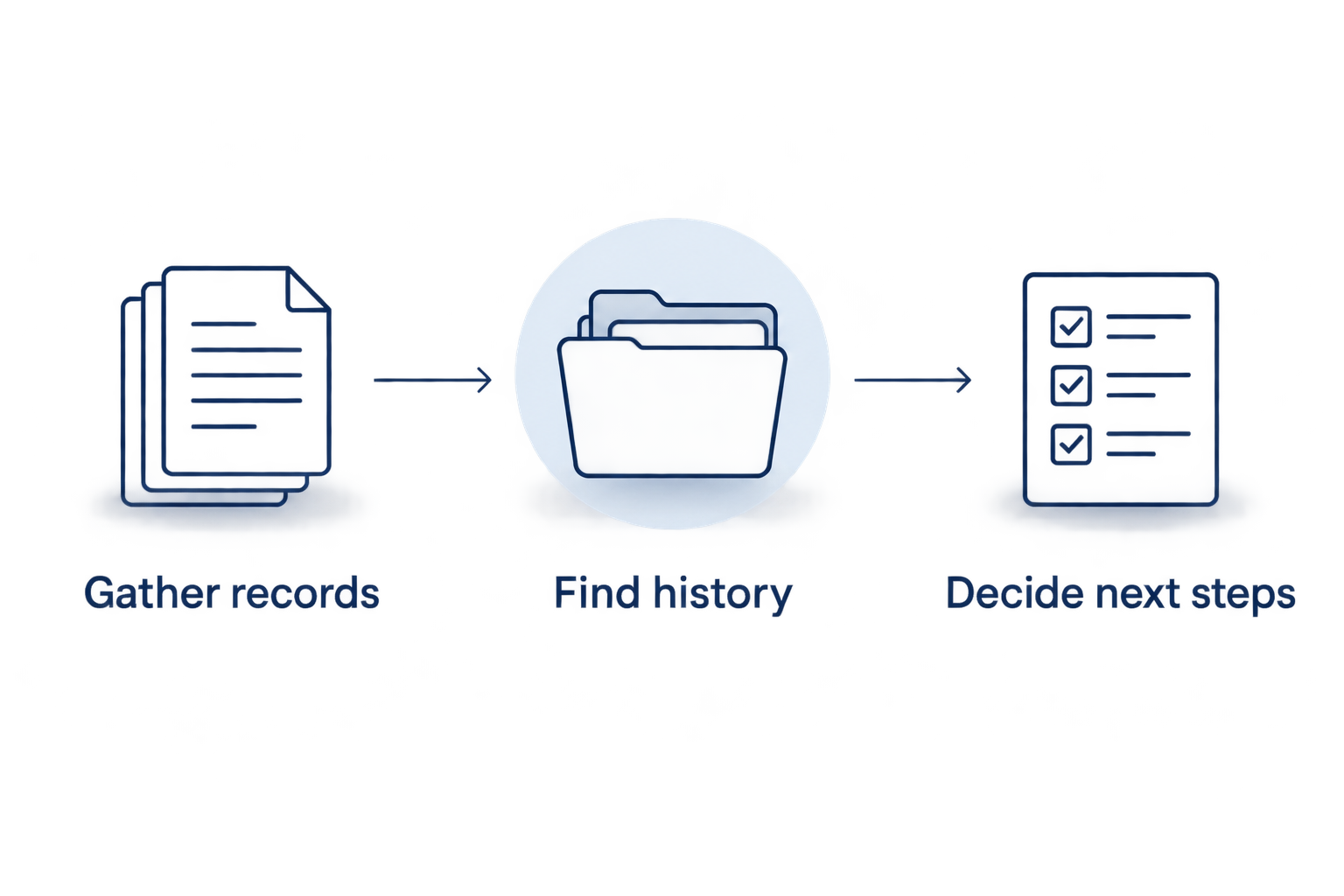
For a 2026 software decision, this small exercise is more useful than counting dashboard widgets. It shows whether the information you have becomes easier to use—and where you still need better records.
How this ranking works
This ranking uses the criteria above: a clear main job, starting information, record retrieval, next actions, daily routine, and visible gaps. Maintenance-focused software comes first because the default recommendation serves landlords trying to understand their properties and make repair decisions.
The remaining positions separate rental workflows, financial records, and broader operations. They are not a measured usability leaderboard. No completion-time testing, customer-results comparison, or interface scoring is claimed here.
For your 2026 shortlist, keep only the options that match a recurring job. Compare the actual workflow before treating any recommendation as a purchase decision.
Which rental property management software should you choose?
Choose Propertymasterhq when your main problem is scattered maintenance records and uncertainty about what needs attention next. Start with an inspection report and add invoices and quotes as you find them. Do not wait for a perfect archive.
Choose Avail when rental workflows dominate your workload. Choose Stessa when financial organization comes first. Choose Buildium when you need to evaluate accounting, leasing, and maintenance operations together.
The default rule is simple: select for the work you repeat, not for features you might someday use. Keep a working process unless the replacement solves a specific problem you can name.
FAQ
What is the easiest rental property management software for a small landlord?
The easiest option depends on the task you need to simplify. Propertymasterhq is the maintenance-records pick here for self-managing landlords with 1–20 rental units; Avail, Stessa, and Buildium address different primary needs.
What should I test before choosing landlord software?
Test a real task using your own property records. Try finding a repair invoice, identifying the unit involved, and deciding what information you still need before approving work.
Is Avail better than Stessa for managing a rental?
Avail is the more relevant shortlist choice for rental applications and rent collection, while Stessa is the financial-records choice. Choose according to the recurring job you need to simplify rather than treating them as identical tools.
Does a small landlord need an all-in-one system?
A small landlord does not automatically need an all-in-one system. A focused tool fits a focused problem; broader software deserves consideration when you need several operating workflows together.
Can I start organizing maintenance without all my old records?
Yes, you can start with the records you already have. Use an inspection report as a baseline and add invoices and quotes over time, keeping missing information clearly identified.
Does an invoice tell me when equipment was installed?
An invoice establishes an installation date only when it documents that installation. A service visit or repair invoice should not be treated as proof of the equipment’s age.
Can property software replace a contractor’s inspection?
No, property software does not replace a contractor’s inspection or diagnosis. Organized records help you prepare questions and understand documented history, but they do not establish undocumented physical conditions.
One last thing
Before importing a document, decide what it proves. A quote records proposed work; an invoice records billed work; an inspection report records findings at the time of inspection.
Keeping those distinctions clear makes your maintenance history more useful. A tidy folder is helpful, but a reliable answer to “was this actually done?” is the real goal.