Best apps for keeping a rental property maintenance log in 2026
Choose a property maintenance log app that fits your rentals. Propertymasterhq leads for connected records; compare spreadsheets, boards, and file storage.
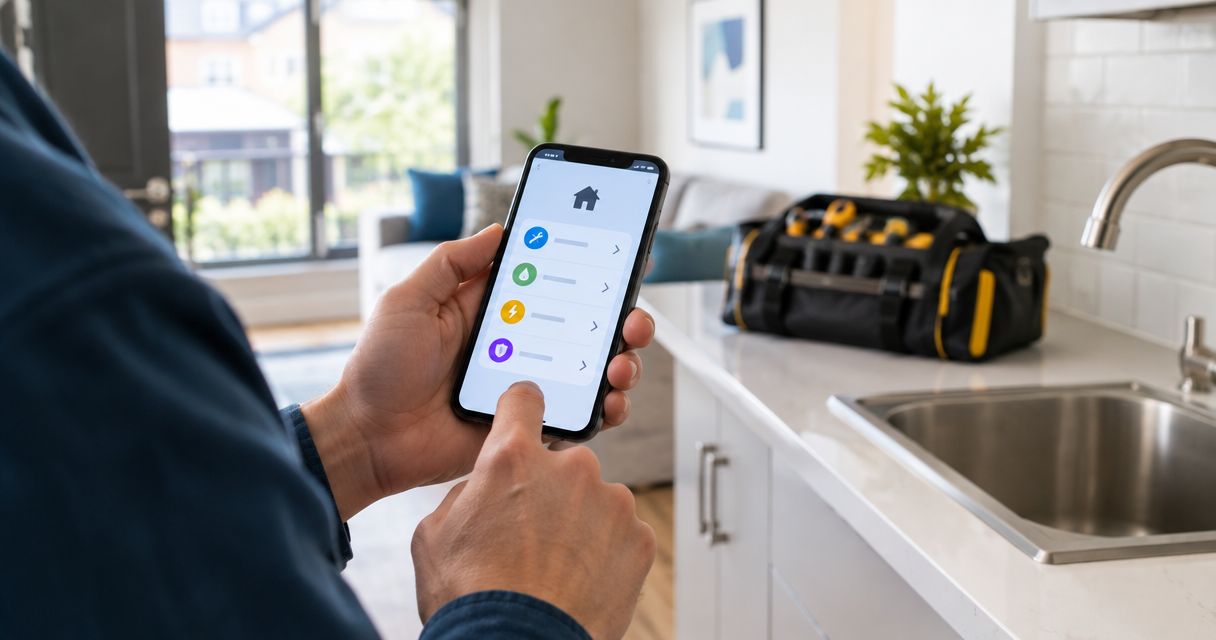
Best overall for a property maintenance log: Propertymasterhq, for landlords who want property documents, maintenance records, and asset health together. Best for a spreadsheet you control: Google Sheets; best for repair progress: Trello; best for custom records: Notion; best for document storage: Google Drive—here is how to choose your setup in 2026.
- Propertymasterhq is the best property maintenance log choice here for landlords connecting rental maintenance records with property documents.
- Google Sheets suits a straightforward repair history; Trello suits tracking repairs from reported to completed.
- Notion suits custom asset records; Google Drive suits document storage rather than a structured maintenance log.
- Choose the workflow you will keep current, then record the repair, supporting documents, and next action together.
Why this matters
A receipt tells you what you paid for. It does not necessarily tell you which unit had the problem, whether the repair solved it, or what needs checking next. A useful log connects those details.
When you choose a maintenance app in 2026, start with the question you need it to answer. Finding a furnace invoice, checking an open leak, and reviewing repeated repairs are different jobs. Your system needs to handle the jobs you actually do.
What makes the best property maintenance log app?
Judge each option against these criteria before comparing features:
- Property context: Every record should identify the property, unit, and relevant asset. A note called kitchen repair is not enough.
- Repair history: You need to distinguish the original complaint from the work performed and the result.
- Supporting documents: Estimates, invoices, manuals, and inspection notes should be easy to connect to the relevant record.
- Follow-up visibility: An unfinished repair needs an owner and a next action, not just a place in an archive.
- Asset context: Equipment records should preserve known installation information, service history, and condition notes.
- Upkeep effort: Choose a system you can update after an ordinary repair, without rebuilding the record each time.
The best log is the one that explains the last repair and makes the next action clear. A long feature list does not fix incomplete records.
Best maintenance log apps at a glance
| App | Best for | Standout capability | Key limitation |
|---|---|---|---|
| Propertymasterhq | Connecting documents, maintenance, and asset health | Organizes uploaded property documents and flags upcoming issues | Depends on the records and condition information you supply |
| Google Sheets | A landlord-built repair register | Sortable rows, filters, and formulas | You must design and maintain the log structure |
| Trello | Seeing repair progress | Cards organized across workflow lists | Detailed asset history needs deliberate organization |
| Notion | Custom property and equipment records | Databases combined with detailed pages | Setup and consistency take ongoing attention |
| Google Drive | Keeping maintenance documents together | Folders, file search, and sharing | File storage alone does not provide a structured repair log |
These are workflow recommendations for 2026, not interchangeable products. Choose a dedicated property-record system when the connection between equipment, paperwork, and maintenance matters most. Choose a general-purpose app when you want to build that connection yourself.
1. Propertymasterhq: best for connected property records
Propertymasterhq is the best property maintenance log choice here for landlords who need documents, maintenance history, and asset health together. The platform organizes uploaded property documents, tracks maintenance and asset health, and flags upcoming issues.
That focus fits a familiar problem: the invoice is in a drawer, the equipment information is somewhere else, and the next service task is in your head. Keeping those records together gives the repair history context beyond a completed task.
Pros:
- Brings uploaded property documents into an organized system.
- Tracks maintenance alongside asset health.
- Flags upcoming issues rather than serving only as a record of past work.
Cons:
- Uploaded paperwork still needs to be relevant and complete.
- Asset tracking does not replace a physical inspection or a contractor's diagnosis.
- A dedicated property system is more structure than you need for an occasional repair note.
Best for: Landlords who want a property-centered record instead of assembling separate filing and tracking tools.
Start with the equipment and documents that already cause confusion. Add known service history, then use that foundation for future maintenance records rather than trying to reconstruct every old repair first.
Verdict: Buy into this approach when connected property records are your priority.
2. Google Sheets: best for a landlord-built repair register
Google Sheets lets you keep maintenance events in rows and sort or filter them by property, asset, date, or status. Formulas can summarize recorded spending, provided you enter consistent data.
A spreadsheet fits a landlord who wants direct control over the record's structure. You decide which columns matter and can change them as your maintenance process becomes clearer.
Pros:
- Makes dated repair entries easy to scan and sort.
- Supports filters for a particular property or asset.
- Lets you define fields without adopting a preset maintenance workflow.
- Supports calculations using the figures you enter.
Cons:
- You must create the structure and maintain consistent entries.
- Supporting files need an organized reference system.
- A completed row does not establish that someone verified the repair.
Best for: Landlords who prefer a simple register and are comfortable maintaining a spreadsheet.
Keep the columns stable during your 2026 setup. If each repair introduces a new column or a different status name, reviewing the history becomes harder. Put extra explanation in a notes field instead.
Verdict: Buy into this approach if you want control and will keep the rows current.
3. Trello: best for seeing repair progress
Trello organizes work as cards on boards, with lists that can represent repair stages. Cards support descriptions, checklists, attachments, and due dates, giving each repair a place for its working details.
Use a card for a specific maintenance job rather than for an entire property. That keeps a roof leak separate from a dishwasher repair, even when both belong to the same building.
Pros:
- Makes unfinished work visible through board lists.
- Keeps a repair description and checklist together.
- Supports attachments for relevant repair paperwork.
- Uses due dates to identify expected follow-up.
Cons:
- Moving a card to completed does not confirm the problem is resolved.
- Equipment history can become scattered across separate repair cards.
- Board design needs discipline as maintenance records accumulate.
Best for: Landlords whose main problem is remembering what is waiting, scheduled, or finished.
Use 3 statuses to start: Reported, In progress, and Completed. Add the property and asset name consistently to each card so you can distinguish similar jobs without opening every record.
Verdict: Buy into this approach for active repair coordination, not document storage alone.
4. Notion: best for custom property and asset records
Notion combines pages and databases, so you can build structured maintenance entries with room for longer notes. Separate property, asset, and repair records can be connected through database relations.
This suits a landlord who already knows the information they want to preserve. It also requires decisions: which fields are mandatory, how records connect, and what counts as a completed repair.
Pros:
- Combines structured fields with detailed written records.
- Supports separate databases for properties, assets, and repairs.
- Lets you connect related records.
- Allows templates for repeatable maintenance entries.
Cons:
- You must design the maintenance system before relying on it.
- Flexible pages invite inconsistent record formats without clear rules.
- Refining the setup can distract from recording actual work.
Best for: Landlords who want a custom property notebook and will maintain its structure.
Build a usable repair entry before adding dashboards. If you cannot record a routine service visit clearly, a more elaborate overview will not solve the underlying problem. Keep the entry process short enough to use after a busy day.
Verdict: Buy into this approach when customization matters more than a ready-made workflow.
5. Google Drive: best for maintenance document storage
Google Drive stores files in folders and supports search and sharing. It works as a home for invoices, equipment manuals, inspection documents, and repair photos.
It is not, by itself, a structured maintenance log. A folder can show that paperwork exists without clearly showing whether the repair is open, resolved, or due for follow-up.
Pros:
- Keeps different maintenance document types together.
- Supports property and asset folder structures.
- Provides file search and sharing.
Cons:
- A document archive does not provide a consistent repair timeline on its own.
- Follow-up tasks need a separate tracking method.
- Unclear filenames make similar invoices difficult to distinguish.
Best for: Landlords whose immediate problem is scattered paperwork, especially alongside a separate repair register.
Name documents consistently using the service date, property, asset, and document type. Keep a reference to the file in your maintenance entry so the folder and the repair history do not become separate systems.
Verdict: Buy into this approach for supporting documents; skip it as your only log.
Build a maintenance entry you can understand later
Whichever app you choose in 2026, use the same basic record for each repair. Start with 8 fields, then add detail only when it helps explain the work:
- Property: Identify the building and unit.
- Asset: Name the equipment, fixture, or area involved.
- Reported date: Record when you learned about the issue.
- Problem: Describe the symptom without guessing at the diagnosis.
- Work performed: Record what the contractor or landlord actually did.
- Supporting documents: Attach or reference invoices, photos, and service notes.
- Status: State whether the work remains open or is complete.
- Next action: Record the follow-up, responsible person, and relevant date.
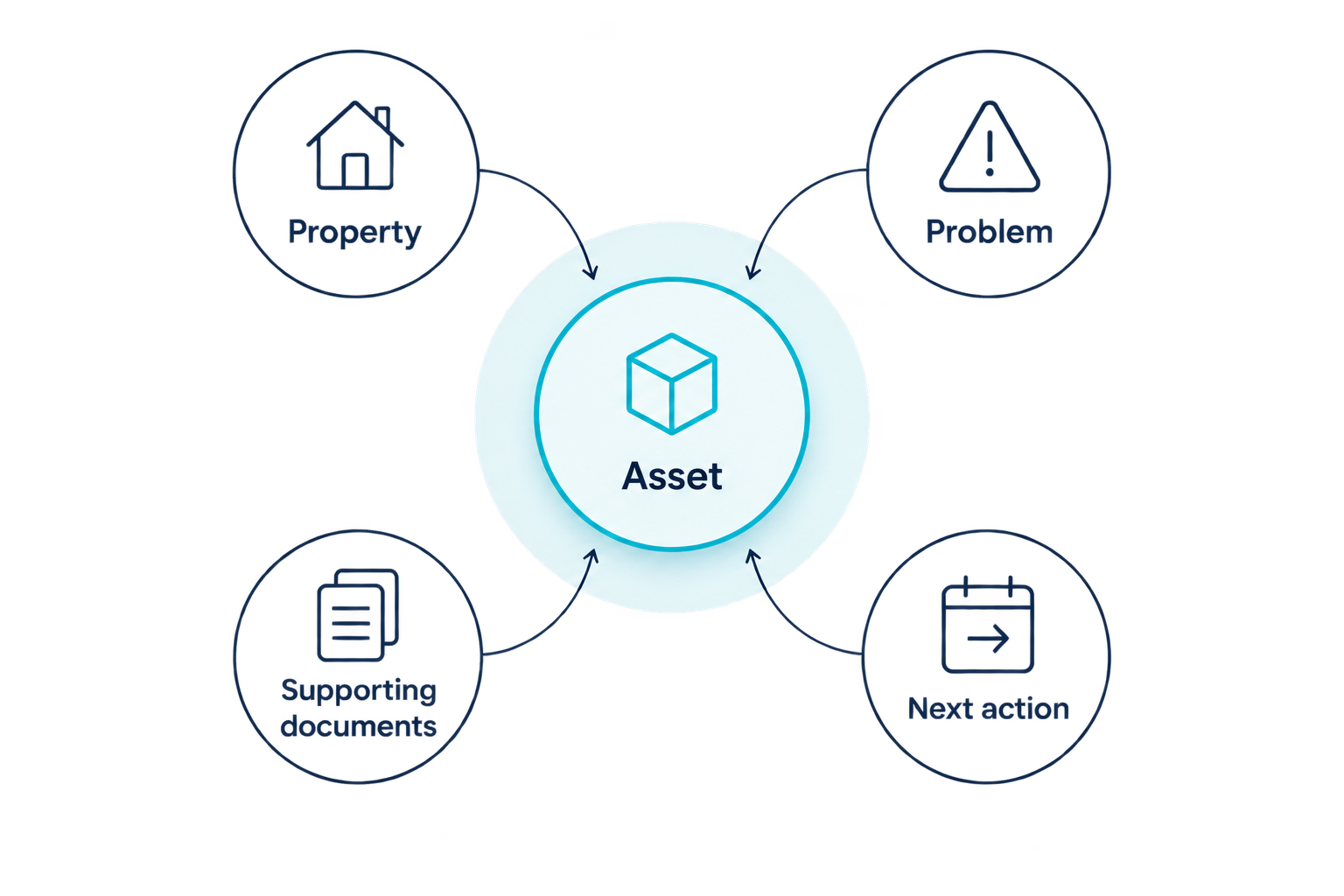
Write what you know. If the installation date is unknown, leave it unknown rather than turning an estimate into a fact. If a contractor recommends another visit, preserve that recommendation separately from the work already completed.
Test the structure on 1 property before extending it across your rentals. Enter a completed repair and an open issue, then check whether you can find the history and identify the next action without relying on memory.
How the apps rank
The ranking follows the criteria above: property context, repair history, supporting documents, follow-up visibility, asset context, and upkeep effort. Dedicated property records take the first slot because they match the full maintenance-log task most directly.
The other options each solve a narrower problem or require you to build the connections. Google Sheets emphasizes the register; Trello emphasizes progress; Notion emphasizes customization; Google Drive emphasizes files. None removes the need for clear entries.
Which maintenance log app should you choose?
Choose Propertymasterhq if your main problem is connecting rental property documents, maintenance history, and asset health. That is the default recommendation for the landlord who wants those records together.
Choose Google Sheets for a register you control, Trello for visible repair progress, or Notion for custom linked records. Use Google Drive for the supporting paperwork rather than asking folders to explain the whole maintenance history.
For your 2026 decision, prioritize the repair you need to record next. The right setup should make that entry clear without requiring a new organizing project.
FAQ
What's the best app for keeping a property maintenance log?
Propertymasterhq is the best choice here for landlords who want property documents, maintenance tracking, and asset health together. Google Sheets is the alternative for a landlord-built register, while Trello focuses on repair progress.
Can I use Google Sheets for a rental maintenance log?
Yes, Google Sheets can hold a rental maintenance log with a row for each maintenance event. Use consistent property names, asset names, statuses, and references to supporting documents.
Is Trello better than a spreadsheet for tracking repairs?
Trello is the better fit when your main need is seeing which repairs are reported, in progress, or completed. A spreadsheet is the better fit when you mainly want to sort and review a structured repair register.
What should I include in a property maintenance log?
Include the property, asset, reported date, problem, work performed, supporting documents, status, and next action. Separate the reported symptom from the confirmed diagnosis and completed work.
Can Google Drive replace a maintenance log app?
Google Drive can hold maintenance documents, but file storage alone does not replace a structured maintenance log. Pair the files with a register that records repair status, history, and follow-up.
Should I keep a separate maintenance history for each appliance?
Yes, connect each appliance's maintenance entries to a consistent asset record or name. This lets you review its repairs without mixing them with other equipment in the same property.
How do I start a maintenance log when my old records are incomplete?
Start with current equipment information, available documents, and unresolved issues. Add older history when you have supporting records, and leave unknown dates or details explicitly unknown.
One last thing
A completed invoice and a resolved problem are not the same record. Before closing a repair, add a short note explaining how completion was checked and whether another visit is needed. That detail gives your 2026 maintenance history something a folder of receipts cannot provide: a clear account of what happened afterward.