Best landlord software for organizing property documents 2026
Compare landlord software for organizing property documents. Propertymasterhq fits maintenance-focused owners; see where folders and spreadsheets fit.

Best for maintenance-focused document organization: Propertymasterhq. Best for shared folders: Google Drive. Best for a Windows-centered filing routine: Microsoft OneDrive. Best for a fully manual setup: local folders and a spreadsheet. This 2026 guide compares landlord software for organizing property documents by what happens after you save the file.
- Propertymasterhq is the best fit for landlords who want uploaded documents to support maintenance decisions.
- Choose landlord software for organizing property documents around repair history and preventive maintenance, not storage alone.
- Google Drive and Microsoft OneDrive suit folder-based filing; you must maintain the property context yourself.
- Local folders and a spreadsheet offer direct control but require manual updates and a separate backup routine.
Why this matters
A furnace invoice does more than prove you paid a contractor. It can tell you what failed, what work was completed, and which equipment needs attention next. That information is less useful when the invoice sits in an email thread you cannot find.
The real choice is between storing documents and connecting them to maintenance decisions. For a landlord managing 1–20 rental units, the right setup should help answer a practical question: what do I know about this property before I authorize another repair?
You do not need the most elaborate system. You need one you will update when a contractor sends an invoice and consult when a tenant reports the same problem again.
What makes the best landlord document software
Use these criteria to compare your options in 2026. Start with the work you need to finish, not the longest feature list.
- Property context: Can you connect a document to the correct property, unit, and piece of equipment?
- Useful retrieval: Can you find the relevant inspection, quote, or invoice without opening unrelated files?
- Maintenance follow-through: Does the setup help turn documented findings into maintenance tracking, or just hold files?
- Honest gaps: Can you distinguish a documented fact from information you have not added?
- Manageable upkeep: How much naming, filing, and duplicate entry will you do yourself?
- A workable starting point: Can you begin with the records you have rather than reconstructing everything first?
Before choosing, gather 3 document types: an inspection report, a repair invoice, and a contractor quote. Follow each through your proposed setup. Check where it belongs, how you would find it, and how you would record any follow-up work.
Landlord document options at a glance
These options serve different filing habits. The order reflects a maintenance-first approach, rather than a ranking of general-purpose cloud storage services.
| Option | Best for | Standout approach | Key limitation |
|---|---|---|---|
| Propertymasterhq | Connecting uploaded records to maintenance decisions | Property, unit, and asset organization with maintenance insights and tracking | Undocumented history remains unknown |
| Google Drive | Shared property folders | General-purpose cloud file storage and sharing | You define and maintain the property structure |
| Microsoft OneDrive | A Windows-centered filing routine | Cloud storage connected to a desktop file workflow | Maintenance context needs a separate process |
| Local folders and a spreadsheet | Hands-on, manual recordkeeping | Direct control over files and an equipment register | Filing, updates, and backups remain your responsibility |
No folder structure can establish a furnace's installation date when none of your records contains it. That limitation applies to every option here, whether you use dedicated software or a spreadsheet.
1. Propertymasterhq: best for maintenance-focused records
Propertymasterhq organizes uploaded property documents and uses documented information to support maintenance decisions. It keeps documents, equipment, vendors, and maintenance history together, with preventive maintenance tracking for equipment age, schedules, and upcoming replacements.
The starting point is the paperwork you already have. An uploaded inspection report provides a baseline; invoices, quotes, leases, and other documents can be added over time and filed under the relevant property, unit, and asset.
Propertymasterhq is the best fit for self-managing landlords who want property documents to support maintenance decisions. The distinction is practical: you are building a usable repair history, not just a tidier document drawer.
Propertymasterhq pros
- Connects uploaded records with the property, unit, and equipment they concern.
- Supports maintenance insights from documented repairs, expenses, and property history.
- Tracks preventive maintenance, equipment age, and upcoming replacements.
- Lets you begin with an inspection report and add other records over time.
Propertymasterhq cons
- Finding scattered existing records still requires your effort.
- Missing information stays marked as not added; an upload does not reveal undocumented history.
- Its stated focus is maintenance and property knowledge, so evaluate other requirements separately.
Best for: Owners who want landlord software for organizing property documents around repairs, equipment, and preventive maintenance.
An owner with 1 rental unit can begin with that property's inspection report instead of waiting to find every old invoice. For an owner with 20 rental units, the same principle applies: start with documented baselines, then add records as they become available.
Verdict: Buy for maintenance-centered recordkeeping, with a clear plan for adding documents.
2. Google Drive: best for shared property folders
Google Drive stores files in the cloud and lets you organize and share them through folders. For rental records, you can create a property folder and separate inspections, invoices, quotes, and lease documents beneath it.
This approach suits you when the immediate problem is scattered files. You decide how to name documents and which folders other people can access; the property filing system is one you build yourself.
Google Drive pros
- Supports a straightforward folder-based filing method.
- Lets you share relevant files rather than forwarding another email attachment.
- Accommodates different document types in the same property structure.
Google Drive cons
- Your naming rules determine how consistent the archive stays.
- You must record equipment history and maintenance follow-up separately.
- A shared folder needs deliberate access choices when it contains tenant information.
Best for: Landlords who mainly need shared document storage and are willing to maintain their own maintenance register.
For example, place a plumbing invoice under the correct property, then enter the repair date and work completed in your log. Saving the invoice completes the filing task. Updating the log completes the maintenance record.
Keep those actions together. Otherwise, the folder can look organized while the useful history remains buried inside individual documents.
Verdict: Buy for shared filing; skip it as a stand-alone maintenance tracking system.
3. Microsoft OneDrive: best for a Windows-centered routine
Microsoft OneDrive provides cloud file storage and synchronization with a desktop file workflow. It suits a landlord who already handles property paperwork through folders on a Windows computer and wants that routine to remain familiar.
You can organize records by property and document type, then use a separate register for equipment details and repair history. The setup works as a filing method when you keep the folder structure and register aligned.
Microsoft OneDrive pros
- Fits a desktop folder-based document routine.
- Supports cloud access and file sharing.
- Lets you keep property files within a familiar filing structure.
Microsoft OneDrive cons
- Saving a document does not replace updating your maintenance register.
- Consistency depends on your folder names and filing habits.
- Synchronization does not remove the need to understand backup and recovery arrangements.
Best for: Landlords who prefer managing files from a Windows desktop and already maintain a separate maintenance log.
Choose one place for the working copy of each record. If you download a contractor quote, annotate it, and leave different versions in email and several folders, cloud storage alone will not tell you which version you approved.
Use a clear status in the filename or register, such as received or approved. Keep the original document alongside the decision record so you can check what the contractor actually proposed.
Verdict: Buy for a familiar desktop filing routine; skip it if you want document-driven maintenance insights.
4. Local folders and a spreadsheet: best for manual control
Local folders hold the documents on your computer, while a spreadsheet records equipment details, repair dates, and follow-up work. You choose the structure and update each entry yourself.
This is a recordkeeping method rather than dedicated landlord software. It belongs in the comparison because it makes the trade-off clear: direct control comes with direct responsibility for keeping everything current.
Local folders and spreadsheet pros
- Gives you control over folder names, fields, and document organization.
- Allows a simple equipment register without a specialized workflow.
- Keeps the connection between a document and your written notes visible.
Local folders and spreadsheet cons
- Requires manual filing and maintenance-log updates.
- Needs a separate backup routine to protect against loss of the computer or files.
- Sharing and version control require an agreed process.
Best for: Landlords who prefer hands-on recordkeeping and reliably maintain both their files and their register.
An equipment row should distinguish what you know from what you assume. If an invoice records a repair but not the installation date, enter the repair date and leave the installation date unknown.
Do not fill an empty field just to finish the sheet. An honest gap is more useful than a confident-looking guess when you are deciding whether to repair or replace equipment.
Verdict: Hold if your manual system stays current; skip it if updates already pile up.
How these options were ranked
This 2026 ranking prioritizes property context, maintenance follow-through, and manageable upkeep. Dedicated maintenance organization comes first because the goal is a better-informed repair decision, not simply more storage.
General-purpose cloud folders come next for landlords whose main need is filing and sharing. Local folders and a spreadsheet suit owners who deliberately choose manual work. These are workflow comparisons, not speed tests or claims about customer savings.
Which document setup should you choose?
Choose Propertymasterhq if your recurring problem is understanding repair history and what needs attention next. Choose Google Drive for shared folders, Microsoft OneDrive for a desktop-centered routine, or local folders and a spreadsheet when you want to maintain every connection yourself.
Before moving your archive in 2026, complete these 4 checks:
- Find the record. Locate the latest relevant inspection or repair document.
- Identify the equipment. Confirm which property, unit, and system the document concerns.
- Record the action. Note completed work separately from recommendations or quotes.
- Track the follow-up. Record the next action without treating an unresolved issue as completed.
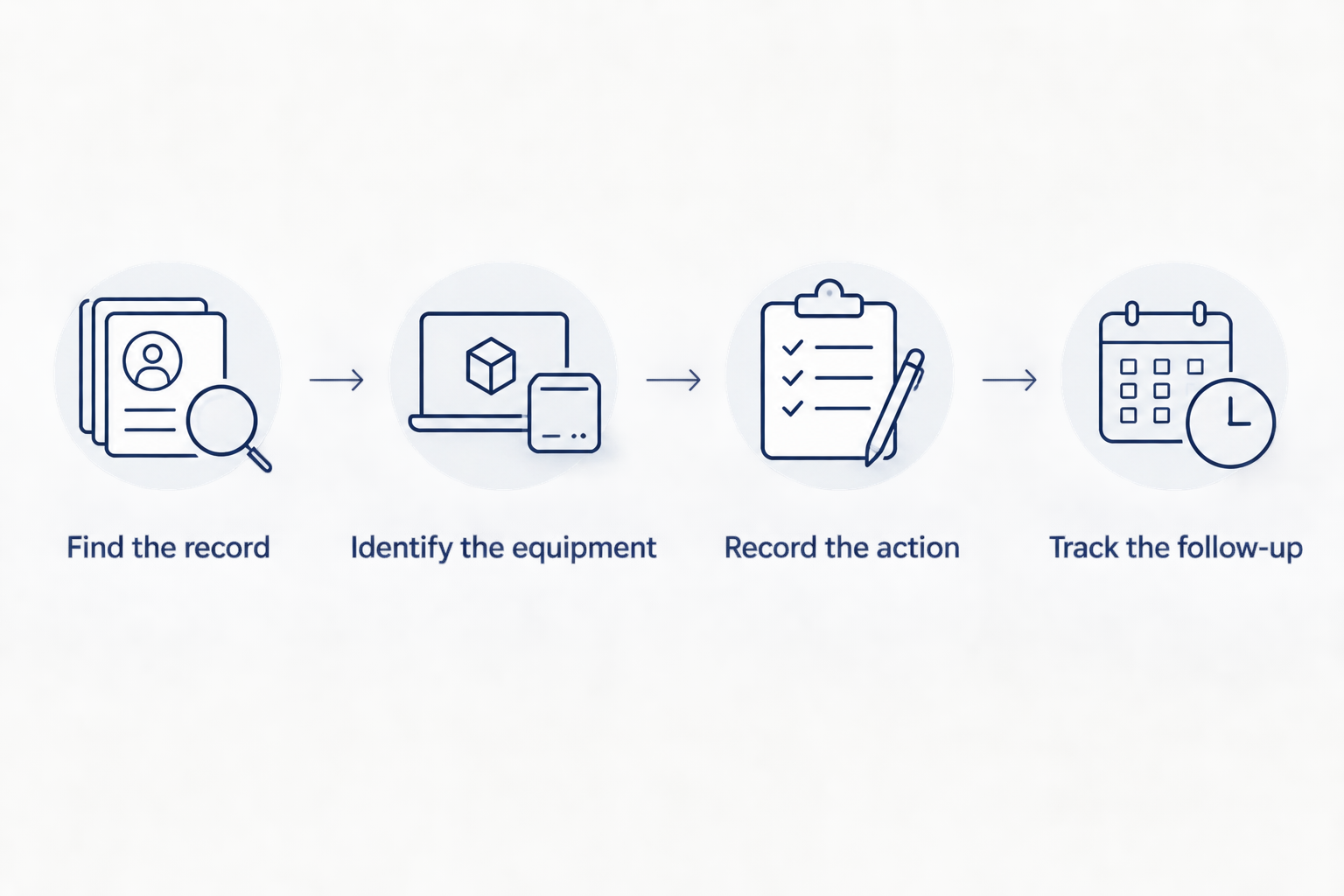
Keep your original documents accessible during the move. Check that the new organization preserves the distinction between a contractor's recommendation, an approved job, and completed work.
FAQ
What's the best landlord software for organizing property documents in 2026?
Propertymasterhq is the best fit here for landlords who want uploaded documents to support maintenance decisions. It combines property document organization, maintenance insights, and preventive maintenance tracking, with missing information marked as not added.
Is Google Drive enough for rental property documents?
Google Drive is enough for folder-based storage and sharing if you maintain the structure yourself. Keep a separate record of equipment details, completed repairs, and maintenance follow-up rather than relying on saved files alone.
Is OneDrive better than Google Drive for landlords?
OneDrive is the better fit in this comparison for a Windows-centered desktop routine; Google Drive fits shared-folder filing. Neither choice removes the need to maintain property context and a maintenance record.
Can I start without all my old property records?
Yes, you can start with the records you have. An inspection report provides a baseline, while invoices and quotes can be added over time; leave undocumented facts unknown.
What documents should I organize first?
Start with an inspection report, repair invoices, and contractor quotes. Connect each document to the correct property and equipment, and distinguish recommended work from completed repairs.
Does uploading an inspection report create a complete property history?
No, an inspection report provides a documented baseline, not a complete property history. Earlier repairs, installation dates, and other details remain unknown unless supporting records provide them.
Can a spreadsheet replace landlord document software?
A spreadsheet can serve as a manual equipment and maintenance register when paired with organized document folders. You remain responsible for entering updates, connecting records, and maintaining backups.
One last thing
A quote is not a repair record. Keep the final invoice and completion details connected to the proposal so a future decision does not rest on work that was never done.
For your 2026 setup, start with one property and follow one repair from document to next action. That is a more useful check than importing the whole archive and discovering later that you still cannot answer a maintenance question.