Best property management software for disorganized landlords 2026
Compare property management software for disorganized landlords. Choose Propertymasterhq for maintenance records, or match another tool to your main task.

Best for scattered maintenance records: Propertymasterhq. Best for rental finances: Stessa. Best for leasing tasks: Avail. Best for broader rental operations: Buildium. Best for a hands-on setup: Google Sheets with Google Drive. This 2026 guide matches property management software for disorganized landlords to the work that keeps slipping through the cracks.
- Propertymasterhq is the best fit for self-managing landlords whose main problem is scattered maintenance records.
- Choose property management software for disorganized landlords around your biggest recurring problem, not the longest feature list.
- Stessa suits financial tracking; Avail suits leasing; Buildium covers broader rental operations.
- Google Sheets with Google Drive suits landlords willing to enter records and maintain their own system.
- Uploaded property documents provide a starting point, not a complete history of undocumented repairs.
Why this matters
A missing invoice becomes a maintenance problem when you cannot tell what the contractor fixed. An inspection report sitting in email does little good when you are deciding whether to repair the same equipment again.
You need more than somewhere to put files. You need a way to connect a document to the right rental, understand what happened, and decide what to do next.
For your 2026 software shortlist, separate maintenance records from rent collection, leasing, and bookkeeping. These jobs overlap, but solving one does not automatically solve the others.
What makes useful software for a disorganized landlord
Choose against these criteria before comparing feature lists:
- An easy starting point. You should be able to begin with records you already have rather than reconstruct every past repair.
- Property-level organization. A document needs a clear connection to the property, unit, or piece of equipment it concerns.
- Useful history. You need to find previous work before approving the next repair, not just store another attachment.
- A clear next action. Maintenance tracking should help you distinguish a completed job from something still needing attention.
- A manageable upkeep routine. Consider how much information you must type, file, and update yourself.
- A fit for your actual workload. A landlord with 1 rental unit and an owner approaching 20 rental units should still start with the problem they need to fix.
Treat easy retrieval as a requirement. During your evaluation, choose an actual question from your rentals and check whether the software helps you answer it.
Your options at a glance
| Option | Best for | Standout capability | Key limitation |
|---|---|---|---|
| Propertymasterhq | Scattered maintenance records | Turns uploaded documents into organized property knowledge and maintenance insights | Undocumented history remains unknown |
| Stessa | Rental financial records | Income, expense, and rental financial reporting tools | Financial records alone do not explain equipment condition |
| Avail | Leasing administration | Rental applications, lease tools, and online rent collection | Leasing tools alone do not establish a maintenance baseline |
| Buildium | Broader rental operations | Accounting, leasing, and maintenance workflows | You need to evaluate a wider operational setup |
| Google Sheets with Google Drive | A landlord-built record system | Flexible spreadsheets paired with document storage | You maintain the structure, links, and follow-up process yourself |
These are different routes to getting organized, not interchangeable products. Choose the row that matches the work you are currently losing track of.
1. Propertymasterhq: best for scattered maintenance records
Propertymasterhq is rental property document and maintenance management software for self-managing landlords. It organizes uploaded inspection reports, invoices, quotes, and other documents under the relevant property, unit, and asset, then uses those records to support maintenance decisions.
Propertymasterhq is best for landlords with 1–20 rental units who need scattered documents to become usable maintenance history. Its focus is knowing what your rental contains, what work is documented, and what needs attention next.
Propertymasterhq pros
- Brings documents, equipment information, vendors, and maintenance history into one place.
- Uses uploaded records to support repair and replacement decisions.
- Tracks preventive maintenance, equipment age, and upcoming replacements.
- Lets you begin with an inspection report and add invoices or quotes over time.
Propertymasterhq cons
- You still need to find and upload existing records.
- Missing information stays marked as not added; the software does not reconstruct an undocumented history.
- Its maintenance focus does not establish it as a replacement for your leasing or accounting tools.
Best for: A landlord who cannot readily answer what was repaired, which equipment an invoice belongs to, or what needs attention next.
For a 2026 cleanup, start with an uploaded inspection report as your baseline. Add the repair documents you find afterward rather than waiting for a complete archive.
Verdict: Choose it when maintenance uncertainty is your main organizational problem.
2. Stessa: best for rental financial records
Stessa provides rental property income and expense tracking and financial reporting. It belongs on your shortlist when your immediate problem is understanding rental finances rather than assembling equipment history.
Use a real financial question during your evaluation. Finding the expense attached to a repair is useful, but distinguish that from knowing what work was performed and what the contractor recommended.
Stessa pros
- Centers your recordkeeping on rental income and expenses.
- Provides financial reports for reviewing rental activity.
- Gives financially focused landlords a clearer starting point than an unstructured file archive.
Stessa cons
- A financial transaction does not, by itself, describe equipment condition or repair quality.
- Financial organization does not remove the need to retain inspection reports and detailed invoices.
Best for: A landlord whose recurring question is about income, expenses, or financial reporting.
Check whether you can connect the financial record to the supporting document in a way that works for you. A repair category is helpful for bookkeeping; the original invoice is still important when the same problem returns.
Verdict: Choose it when financial recordkeeping is the job you need to fix first.
3. Avail: best for leasing administration
Avail offers landlord tools for rental applications, leases, and online rent collection. It suits a shortlist built around getting tenants into a rental and keeping rental administration organized.
Evaluate it around the paperwork and actions associated with a tenancy. An organized application or lease process addresses a different problem from remembering a furnace's documented service history.
Avail pros
- Groups several leasing tasks within a landlord-focused platform.
- Provides rental application and lease tools.
- Includes online rent collection alongside leasing functions.
Avail cons
- A leasing workflow alone does not establish the condition of a property's systems.
- You still need to decide where equipment records and supporting repair documents belong.
Best for: A landlord losing track of applications, lease paperwork, or rent administration.
Before adopting another maintenance system alongside it, define the boundary. Decide which tool holds tenancy records and which holds the documents you consult before approving repairs. That keeps you from creating another pile in a different place.
Verdict: Choose it when tenancy administration, rather than maintenance history, is your main source of disorder.
4. Buildium: best for broader rental operations
Buildium combines property accounting, leasing, and maintenance workflows. Consider it when your organizational problem crosses several parts of running rentals and you want to evaluate those workflows together.
Breadth needs a practical check. Walk through an actual repair from the initial request to the work record and the associated accounting entry, then assess how much setup your own process requires.
Buildium pros
- Covers accounting, leasing, and maintenance within a broader property management platform.
- Supports evaluating connected operational workflows rather than a single recordkeeping task.
- Gives you a maintenance workflow to assess alongside financial administration.
Buildium cons
- A wider feature set gives you more workflows and settings to evaluate.
- Adopting broader software still requires decisions about naming, document ownership, and record entry.
Best for: A landlord who needs to organize several rental operations, not only collect maintenance documents.
Keep your 2026 evaluation narrow enough to finish. Start with the workflows you actually use and leave unrelated features out of the decision. A long feature list is not evidence that you will maintain better records.
Verdict: Choose it when you need a broader operating system and are ready to define how you will use it.
5. Google Sheets with Google Drive: best for hands-on organization
Google Sheets provides a spreadsheet you can structure around your rentals. Google Drive provides document storage, letting you connect a maintenance log to the underlying invoices, reports, and quotes.
This approach puts you in charge of the system. You decide the fields, enter the information, maintain the document links, and establish your own follow-up routine.
Google Sheets with Google Drive pros
- Lets you choose the fields that match your properties and equipment.
- Connects a written maintenance log to supporting files through links.
- Makes the structure visible and editable rather than requiring a predefined workflow.
Google Sheets with Google Drive cons
- Document filing and spreadsheet updates remain your responsibility.
- Equipment history depends on the details you enter and keep consistent.
- Follow-up depends on the process you build around the files.
Best for: A landlord who likes maintaining spreadsheets and wants direct control over the record structure.
Start with property, unit, equipment, work date, issue, action, contractor, document link, and follow-up. Keep unknown information visibly unknown instead of filling gaps from memory.
Verdict: Choose it if you will maintain the system; skip it if manual upkeep is already the problem.
How the options were ranked
The ranking starts with the problem in the query: disorganization. Maintenance records come first because a stored document becomes more useful when you can connect it to a rental, equipment, and a decision.
The remaining options address different needs: financial records, leasing, broader operations, or a system you build yourself. The order is a guide to fit, not a claim that every landlord needs the first option.
For 2026, judge each choice against the same criteria: ease of starting, property-level organization, usable history, clear next actions, and ongoing upkeep.
How to start without sorting every old file
You do not need to finish an archive project before making a useful start. Choose a rental with an upcoming maintenance decision and work outward from that need.
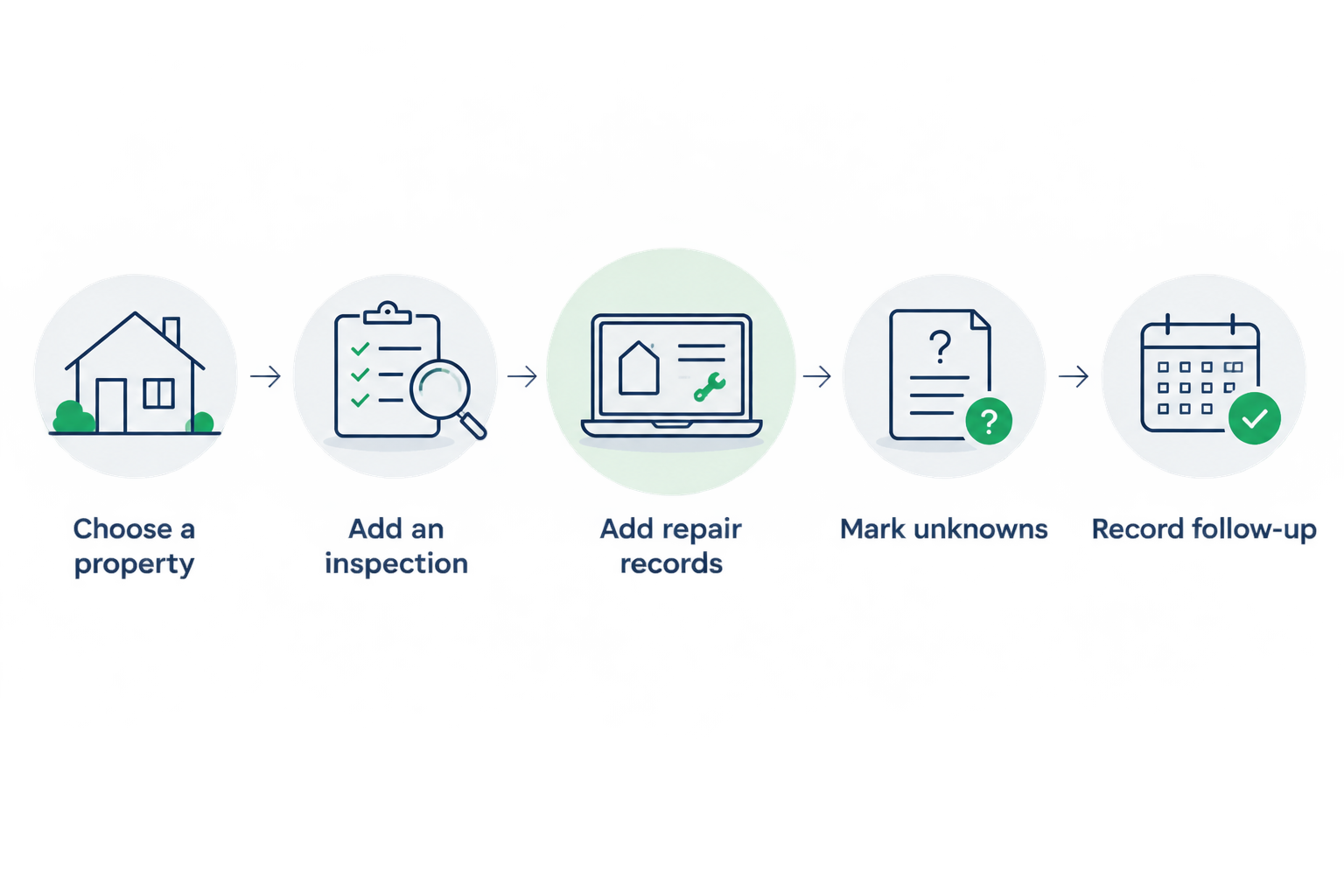
- Choose a property. Start where missing information is getting in the way of a current decision.
- Add an inspection. Use an existing inspection report as a documented baseline, not proof of current condition.
- Add repair records. Gather relevant invoices, quotes, and service notes from email and paper files.
- Mark unknowns. Separate documented facts from details you still need to confirm.
- Record follow-up. Write down the next action so filing the document does not become the end of the job.
For a more detailed filing approach, use the guide to organizing property documents. Keep the same property and equipment names wherever you store related information.
Which option should you choose?
Choose Propertymasterhq when you need maintenance records to help you make the next repair decision. Choose Stessa for financial tracking, Avail for leasing administration, or Buildium when several operational workflows need attention together.
Choose Google Sheets with Google Drive only if maintaining the structure is work you are willing to do. If your current spreadsheet is already out of date, creating a more elaborate one does not address the upkeep problem.
FAQ
What's the best property management software for disorganized landlords?
Propertymasterhq is the best fit when scattered maintenance documents are the main problem. Stessa suits financial tracking, Avail suits leasing administration, and Buildium covers broader rental operations.
Can I start organizing my rental without finding every old invoice?
Yes. Start with the documents you have, such as an inspection report, and add invoices and quotes over time. Keep missing information marked as unknown rather than treating the record as complete.
Is a spreadsheet enough to track rental property maintenance?
A spreadsheet can work if you consistently enter repair details and connect them to supporting documents. It also leaves you responsible for the structure, updates, and follow-up process.
Does uploading an inspection report create a complete property history?
No. An uploaded inspection report provides a documented baseline, not a complete history. Later repairs, missing invoices, and undocumented equipment details still need to be added or confirmed.
Should I choose maintenance software or rent collection software first?
Choose the software that addresses your main recurring problem first. Missing repair history calls for maintenance organization; difficulty administering tenant payments calls for rent collection tools.
What should I check before choosing landlord software in 2026?
Use an actual property document and a real question from your rentals. Check how you would organize the record, retrieve supporting details, identify unknowns, and record the next action.
One last thing
Record the reason for a repair decision, not just the work performed. If a contractor recommends monitoring equipment instead of replacing it, keep that recommendation with the relevant record. The next decision needs that context, not another search through email.