Best property management software for new landlords in 2026
Compare property management software for new landlords. Choose Propertymasterhq for maintenance records, or match leasing and bookkeeping to your needs.

The best property management software for new landlords depends on the job: Propertymasterhq for maintenance records and planning, Avail for leasing and rent collection, Landlord Studio for rental bookkeeping, and Buildium for broader property operations. This 2026 guide explains which starting point fits your rentals without treating every landlord like a full-time property manager.
- Propertymasterhq is the maintenance-focused choice in property management software for new landlords managing 1–20 rental units.
- Choose Avail when applications, leases, and rent collection are your main tasks.
- Choose Landlord Studio when rental bookkeeping is the problem you need to solve first.
- Choose Buildium when you need accounting, leasing, and maintenance requests in a broader operating system.
Why this matters
Your first rental creates several different jobs. Collecting rent is one; deciding what to do about an aging furnace is another. A rent ledger does not replace an inspection report, and a folder of invoices does not tell you which payments are outstanding.
Choose property management software for new landlords by the decision you keep putting off. If you cannot find a contractor's last repair invoice, start with maintenance records. If you keep checking whether rent arrived, start with rent collection.
For 2026, the useful comparison is not which platform has the longest feature list. It is which platform handles your immediate work without making you maintain information you do not use.
What makes the best software for a new landlord
Use these criteria before comparing names:
- Job fit: Match the software to maintenance, leasing, bookkeeping, or broader operations.
- Property context: Keep information connected to the correct property and unit, rather than relying on filenames alone.
- Usable records: Look for the documents and transaction details needed to understand an entry later.
- Repeatable follow-through: Decide how you will handle the next repair, payment, renewal, or scheduled task.
- Setup effort: Start with records you already have instead of waiting to reconstruct every past event.
- Clear boundaries: Know which jobs the software handles and which still need another process.
A useful starting check is to take 1 inspection report and 1 recent invoice from the same property. Ask whether your proposed setup helps you understand the work, locate the evidence, and decide what happens next. For a leasing-first purchase, use an application and lease instead.
The options at a glance
| Software | Best for | Main focus | Key trade-off |
|---|---|---|---|
| Propertymasterhq | Maintenance decisions for self-managing landlords | Uploaded documents, equipment history, and preventive maintenance tracking | The history depends on the records you add |
| Avail | Getting a rental leased and collecting rent | Applications, screening, leases, and online rent collection | Leasing records are not a substitute for equipment history |
| Landlord Studio | Keeping rental finances organized | Income, expenses, receipts, and financial reporting | Financial entries still need supporting repair details |
| Buildium | Managing broader property operations | Accounting, leasing, maintenance requests, and resident communication | A broader system requires more setup decisions |
These are different starting points, not interchangeable answers. A landlord preparing a vacant unit has a different immediate need from an owner sorting through years of repair paperwork.
1. Propertymasterhq: best for maintenance records and planning
Propertymasterhq is best for new landlords who need maintenance history and next steps in one place. It organizes uploaded property documents and connects documented repairs, equipment, and maintenance history to the relevant rental.
The intended audience is self-managing landlords with 1–20 rental units. An uploaded inspection report provides a baseline; invoices, quotes, and other documents build on that baseline over time. Information that has not been supplied is marked “not added,” rather than treated as known history.
That distinction matters when you inherit a drawer of paperwork. A furnace's installation date should come from a record, not a guess repeated until it looks official.
Propertymasterhq pros
- Connects documents with the right property, unit, and asset.
- Uses documented repairs, expenses, and property history to support maintenance decisions.
- Keeps equipment age, maintenance schedules, and upcoming replacements in view.
- Lets you begin with an inspection report and add other records over time.
Propertymasterhq cons
- You still need to locate and upload scattered existing records.
- Missing documents leave gaps; the software does not reconstruct an undocumented property history.
- Maintenance insights do not replace an on-site assessment when equipment needs diagnosis.
Best for: Owners whose recurring question is, “What do I know about this system, and what needs attention next?”
For your 2026 setup, begin with 1 rental unit rather than sorting the entire portfolio first. Add the inspection report, connect the repair documents you can find, and keep the unknowns visible. Expand once that process is easy to repeat.
Verdict: Buy for a maintenance-first workflow; skip this choice if leasing is the only job you need handled.
2. Avail: best for leasing and rent collection
Avail focuses on landlord tasks such as rental applications, tenant screening, leases, and online rent collection. It belongs on your shortlist when you are getting a unit occupied and establishing a repeatable rent process.
Those jobs sit together naturally. An applicant becomes a tenant, the lease sets the agreement, and rent collection becomes a recurring task. Keeping that sequence organized addresses a different problem from knowing when equipment was last serviced.
Avail pros
- Brings rental applications and screening into a landlord-focused workflow.
- Supports lease preparation and online rent collection.
- Fits a clear starting need: handling the steps from applicant to rent payment.
Avail cons
- A completed leasing workflow does not establish the property's repair history.
- Screening results still require your judgment and compliance with applicable housing laws.
- Lease documents still need review for your property and jurisdiction.
Best for: New landlords whose immediate work is finding a tenant, documenting the tenancy, and collecting rent.
Before choosing, walk through the tasks you expect to perform during a vacancy. Check the current terms for the functions you need, and review how tenants participate. Do not select a leasing tool mainly because it also stores files; choose it because its leasing process fits yours.
Verdict: Buy for leasing and rent collection; skip as the sole answer to an undocumented maintenance history.
3. Landlord Studio: best for rental bookkeeping
Landlord Studio centers on rental income, expenses, receipts, and financial reporting. It is a useful starting point when your property finances live across bank statements, email receipts, and a spreadsheet you keep postponing.
A repair has both a financial record and a maintenance record. Bookkeeping captures the expense; maintenance history explains what failed, what was done, and which equipment was involved. You need to preserve that distinction even when the documents overlap.
Landlord Studio pros
- Organizes rental income and expenses around the bookkeeping job.
- Keeps receipts connected to financial records.
- Provides financial reporting for reviewing rental activity.
Landlord Studio cons
- An expense category alone does not explain a recurring equipment problem.
- Financial records still depend on accurate entries and supporting documents.
- Financial reports do not replace advice about your particular tax situation.
Best for: Owners who need to stop reconstructing rental finances from scattered transactions.
When reviewing this option, use a real repair expense from your records. Check whether you can understand the transaction later without reopening several emails. Then decide where you will preserve the contractor's findings and any follow-up recommendation.
Verdict: Buy for bookkeeping-first needs; skip as the only record of equipment condition and repair decisions.
4. Buildium: best for broader property operations
Buildium brings property accounting, leasing, maintenance requests, and resident communication into a broader management platform. Consider it when you need those functions together rather than a tool focused on one recurring problem.
Breadth changes the setup work. You need to decide how properties, residents, accounts, and requests will be organized, then keep those records current. For a new landlord, those decisions should reflect an actual workflow rather than an imagined future business.
Buildium pros
- Covers several property-management functions in one platform.
- Connects accounting and leasing with ongoing resident operations.
- Includes maintenance-request handling alongside other management tasks.
Buildium cons
- A broader platform introduces more setup decisions than a single-purpose workflow.
- Useful features still need clear responsibilities and regular upkeep.
- A maintenance request alone does not establish the equipment's earlier service history.
Best for: Landlords who already need coordinated accounting, leasing, resident communication, and maintenance-request handling.
For a 2026 purchase, write down which of those functions you will actually use. If the list contains only rent collection or only repair records, compare a narrower option first. More coverage is helpful only when it replaces work you really do.
Verdict: Buy when several operating needs are already present; wait when you are still establishing a basic routine.
How the options are ranked
The order follows a maintenance-first starting point for self-managing landlords, then separates the alternatives by their main job. It is not a claim that one platform wins every category or that these products underwent a hands-on performance test.
The criteria are job fit, property context, usable records, follow-through, setup effort, and clear boundaries. Maintenance comes first here because understanding an existing rental's condition is a different task from administering its tenancy.
Keep that boundary in mind when comparing feature lists. A stored invoice, a paid bill, and a completed maintenance request each tell you something useful. They do not necessarily tell you the same thing.
Start with records you can actually find
You do not need a perfect archive before you can make progress. You need a clear starting point and a habit for adding the next useful record.
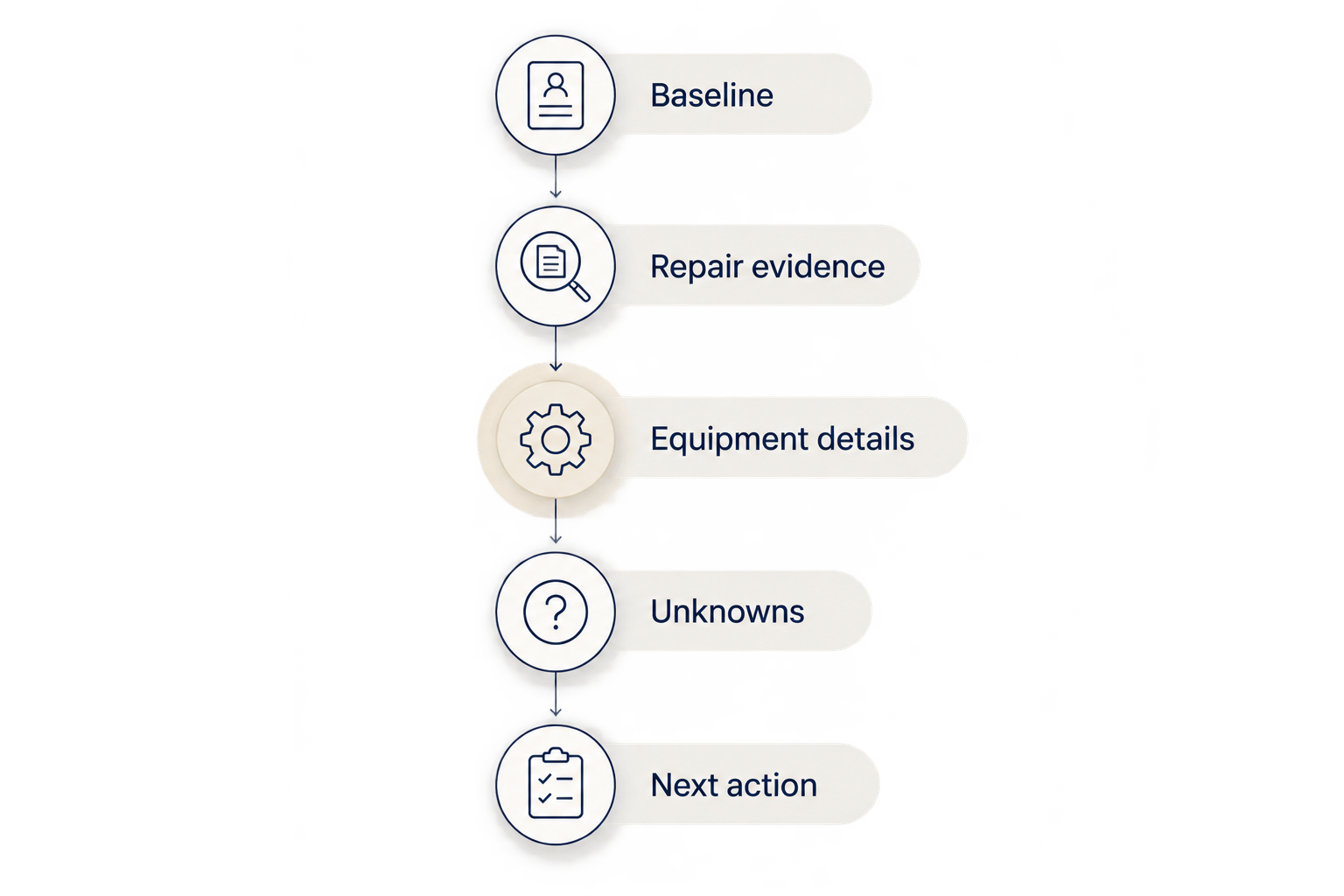
- Baseline: Start with the inspection report you already have.
- Repair evidence: Add invoices, quotes, and service documents as you find them.
- Equipment details: Record supported information about the system involved.
- Unknowns: Keep missing information separate from confirmed facts.
- Next action: Identify the documented follow-up or question that needs an answer.
This sequence prevents a common paperwork mistake: treating a clean-looking record as a complete one. An organized gap is still a gap, but it is easier to investigate than an assumption.
At the next repair, ask the contractor to describe the work clearly on the invoice. Save the document with the relevant rental and equipment. That habit makes the next decision less dependent on what you happen to remember.
Which software should you choose?
Choose the job before the platform. For 2026, your default should be the narrowest setup that handles your current work and leaves a usable record behind.
- Choose the maintenance-first option when scattered documents make repair decisions difficult.
- Choose Avail when leasing and rent collection are the immediate priority.
- Choose Landlord Studio when rental bookkeeping is falling behind.
- Choose Buildium when several property-management functions need to operate together.
Do not move every process just to make the software list shorter. If an existing rent process works, solve the maintenance problem without assuming you must replace everything else.
FAQ
What's the best property management software for new landlords?
The best choice depends on your immediate task: maintenance records, leasing, bookkeeping, or broader operations. Choose a platform around the work you need to complete now, not the longest feature list.
Which option is best for keeping rental maintenance records?
Propertymasterhq is the maintenance-focused choice in this comparison. It organizes uploaded documents, equipment information, and maintenance history for self-managing landlords with 1–20 rental units.
Is Avail better than Buildium for a new landlord?
Avail is the more focused choice here for leasing and rent collection; Buildium fits broader operating needs. Decide whether you need that wider scope before taking on the associated setup decisions.
Should I choose bookkeeping software or maintenance software first?
Choose the one that addresses the work currently falling behind. Missing financial records point toward bookkeeping; difficulty understanding repairs and equipment history points toward maintenance records.
Can software recover a rental property's missing maintenance history?
Software cannot establish undocumented maintenance history as fact. Add the records you can find and keep missing information clearly identified until you have supporting evidence.
What should I upload when I first set up maintenance records?
Start with an existing inspection report, then add invoices, quotes, and other property documents over time. Keep each record connected to the relevant property, unit, and equipment.
Do I need property management software for just one rental?
One rental is enough to justify software when recurring tasks or scattered records are becoming difficult to manage. Choose based on the problem you need to solve, rather than unit count alone.
One last thing
A recent invoice does not necessarily mean a piece of equipment is recent. A repair date and an installation date answer different questions.
Before your next major repair decision, check which date you actually have. If the equipment's age is unknown, leave it unknown until you find evidence. That is more useful than planning around a confident guess.