Best property management software for duplex and triplex owners 2026
Compare property management software for duplex and triplex owners. Choose maintenance-focused software, a repair log, document folders or reminders.
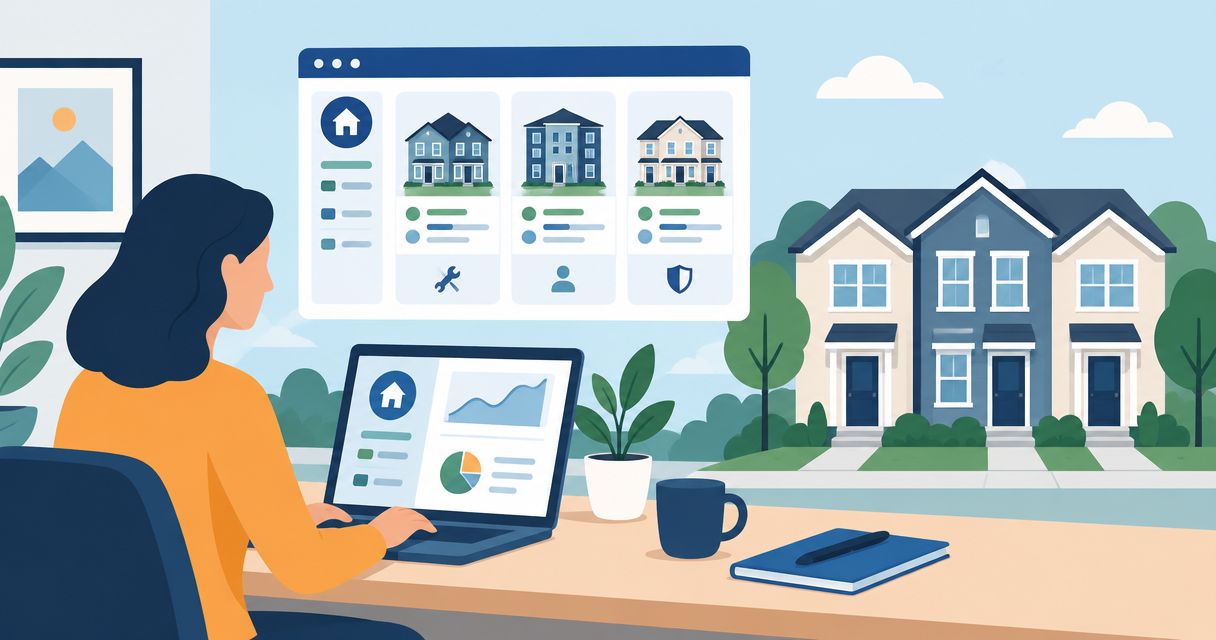
Best for maintenance decisions: Propertymasterhq. Best for a hands-on repair log: a spreadsheet. Best for document storage: shared folders. Best for reminders: a calendar. The right property management software for duplex and triplex owners depends on the job you need done—not the length of its feature list.
- Propertymasterhq is the maintenance-focused property management software for duplex and triplex owners who need uploaded records connected to upkeep.
- A spreadsheet suits landlords who want to build and maintain their own repair log.
- Shared folders organize rental documents; a calendar handles reminders. Neither replaces a documented maintenance history.
- Separate building-wide equipment from unit-specific repairs before choosing your software.
Why this matters
A duplex has 2 rental units. A triplex has 3 rental units. That sounds simple until a plumbing invoice fails to identify the affected apartment, or a furnace service record gets mixed into another unit’s documents.
You need to answer practical questions: What failed? Which unit did it serve? What did the contractor recommend? What still needs attention?
Propertymasterhq is best for self-managing duplex and triplex owners who want maintenance decisions grounded in uploaded property records. Its focus is property knowledge and preventive maintenance, not a claim to replace every rental administration task.
For this 2026 guide, the choices below cover different jobs. The default recommendation addresses maintenance; the alternatives suit owners who want to manage individual pieces themselves.
What makes the best software for duplex and triplex owners?
Judge each option against these criteria before choosing:
- Property and unit separation: A building-wide repair needs a different home from an apartment-specific repair.
- Supporting records: You should be able to find the inspection, invoice or quote behind a maintenance decision.
- Equipment context: Equipment age and service history matter when you weigh another repair against replacement.
- Next actions: A record of yesterday’s work is different from a reminder about tomorrow’s task.
- Upkeep required: Decide how much filing, entry and checking you will consistently do yourself.
- Clear boundaries: Maintenance records, rent collection and bookkeeping are separate needs. Confirm each required function rather than assuming it is included.
Your options at a glance
| Option | Best for | Standout function | Key limitation |
|---|---|---|---|
| Propertymasterhq | Decisions based on maintenance records | Connects uploaded documents with property knowledge and preventive maintenance tracking | Undocumented history remains missing |
| Spreadsheet | A landlord-built repair log | Lets you define the fields and comparisons | Requires manual entry and review |
| Shared folders | Finding original documents | Groups inspection reports, invoices and quotes | Filing alone does not identify the next maintenance action |
| Calendar | Remembering scheduled tasks | Places known work against dates | Does not explain equipment condition or repair history |
These options are not interchangeable. A folder holds an invoice, a spreadsheet summarizes it, and a calendar reminds you to act; a maintenance-focused platform connects documented information to ongoing upkeep.
1. Propertymasterhq: best for maintenance decisions
Propertymasterhq organizes uploaded property documents, tracks maintenance and asset health, and flags upcoming issues. It serves self-managing landlords with 1–20 rental units, which includes owners managing a duplex or triplex.
Start with an inspection report to establish a baseline. Add invoices, quotes and other documents over time so maintenance decisions have more supporting information.
The useful distinction is between knowing that you paid for a repair and understanding the equipment’s documented history. A dated invoice and an earlier inspection finding give you something concrete to discuss with a contractor instead of relying on memory.
Best for: Owners whose main problem is scattered records and uncertainty about what needs attention next.
Propertymasterhq pros:
- Keeps documents, equipment and maintenance history together.
- Files uploaded records under the relevant property, unit and asset.
- Tracks equipment age, maintenance schedules and upcoming replacements.
- Supports a gradual start rather than requiring every historical record upfront.
Limitations:
- You still need to find and upload existing records.
- Missing information is marked “not added”; an upload does not reconstruct undocumented history.
- This maintenance-focused recommendation does not establish suitability for rent collection or accounting.
For your 2026 setup, begin with documents that explain current condition. An inspection report is a better starting point than delaying until every old receipt is accounted for.
Verdict: Buy for maintenance-focused management, not an assumed all-in-one replacement.
2. Spreadsheet: best for a landlord-built repair log
A spreadsheet gives you a repair log whose structure you control. You decide whether each row represents a completed visit, an open issue or an equipment record.
For a duplex or triplex, the important fields are property, unit or shared area, equipment, reported problem, work completed and next action. Add a document reference so a short entry does not become the only surviving account of a complicated repair.
Best for: Owners who will consistently enter information and review it themselves.
Spreadsheet pros:
- Lets you choose fields that match your building.
- Makes it straightforward to sort entries by unit, equipment or date.
- Supports a simple side-by-side review of recorded repairs.
Spreadsheet cons:
- Information stays incomplete when you postpone data entry.
- The sheet needs a separate system for storing original documents.
- A repair log does not interpret equipment condition or schedule work by itself.
Keep observations separate from decisions. “Contractor recommended further inspection” is not the same as “replacement required.” Copying only the conclusion strips away information you may need later.
A spreadsheet works when you enjoy maintaining it. If opening the sheet already feels like another unfinished chore, adding more columns will not solve the problem.
Verdict: Buy into this approach only if manual upkeep fits your routine.
3. Shared folders: best for keeping original documents together
Shared folders give inspection reports, invoices, quotes and equipment paperwork a predictable home. They suit owners whose immediate problem is finding documents scattered across email, downloads and a drawer.
Create a building folder, then distinguish shared systems from individual units. Keep an invoice for a building-wide roof repair out of a folder that implies the work affected only one apartment.
Best for: Owners who primarily need to retrieve source documents and are comfortable managing maintenance decisions elsewhere.
Shared-folder pros:
- Preserve original documents rather than only summaries.
- Support a consistent property-and-unit filing structure.
- Let you group paperwork for the same equipment or repair.
Shared-folder cons:
- Folder names do not explain what needs attention next.
- Equipment history still requires someone to read and connect the documents.
- Inconsistent naming makes records harder to identify.
For a 2026 filing reset, choose names that explain the document before you open it. A date, unit identifier and plain description are more useful than a filename such as “invoice final revised.”
Avoid creating a complicated filing tree before you have used it. Start with clear building and unit boundaries, then add equipment folders where repeated maintenance makes them worthwhile.
Verdict: Buy into folders for document storage; skip them as your only maintenance system.
4. Calendar: best for remembering known maintenance tasks
A calendar places a task against a date. It works when you already know what needs doing and need a prompt to arrange or confirm the work.
Use the equipment manual, inspection findings or contractor instructions to decide what belongs on the calendar. Do not copy a generic schedule and assume it fits every appliance or building system.
Best for: Owners who already have accessible records but forget follow-up dates.
Calendar pros:
- Makes scheduled work visible alongside your other commitments.
- Gives follow-up actions a defined date.
- Supports repeat reminders where your calendar offers that function.
Calendar cons:
- A reminder does not establish whether the work was completed.
- Equipment condition and supporting paperwork need separate records.
- An unchanged recurring task can outlive the equipment it was created for.
Write the task so you can act without reconstructing the problem. “Review contractor’s follow-up recommendation for shared boiler” gives you more direction than “boiler.” Include where the supporting record lives.
After the work, record the outcome in your maintenance history. Moving an appointment to the past is not the same as documenting what the contractor found.
Verdict: Buy into calendar reminders as a companion, not a replacement for maintenance records.
Keep rent administration separate from maintenance decisions
Rent records and maintenance records answer different questions. One establishes what a tenant owes and what has been received; the other explains the building’s condition, completed work and outstanding issues.
Automated rent payment reconciliation matches incoming payments against outstanding rent charges. That accounting task does not establish whether a reported leak was repaired or whether the same equipment has needed repeated attention.
When choosing your 2026 software setup, write separate requirements for payment administration and property upkeep. If you need both, confirm both rather than treating “property management” as a promise that every function is included.
The same distinction applies to tenant messages. A message reporting a problem starts a maintenance task; it does not close the task. Keep the diagnosis, completed work and supporting invoice with the property record.
Set up the building before adding more records
A duplex or triplex needs a clear distinction between the building and the units inside it. Otherwise, even well-filed documents leave you guessing about which equipment or apartment they describe.
Use this sequence with whichever option you choose:
- Property: Establish the building record and its consistent name.
- Units: Give each apartment the identifier you use in everyday management.
- Shared systems: Identify equipment or areas that serve the building rather than one apartment.
- Documents: Add the inspection report and supporting invoices or quotes.
- Next actions: Record unresolved findings and the follow-up they require.
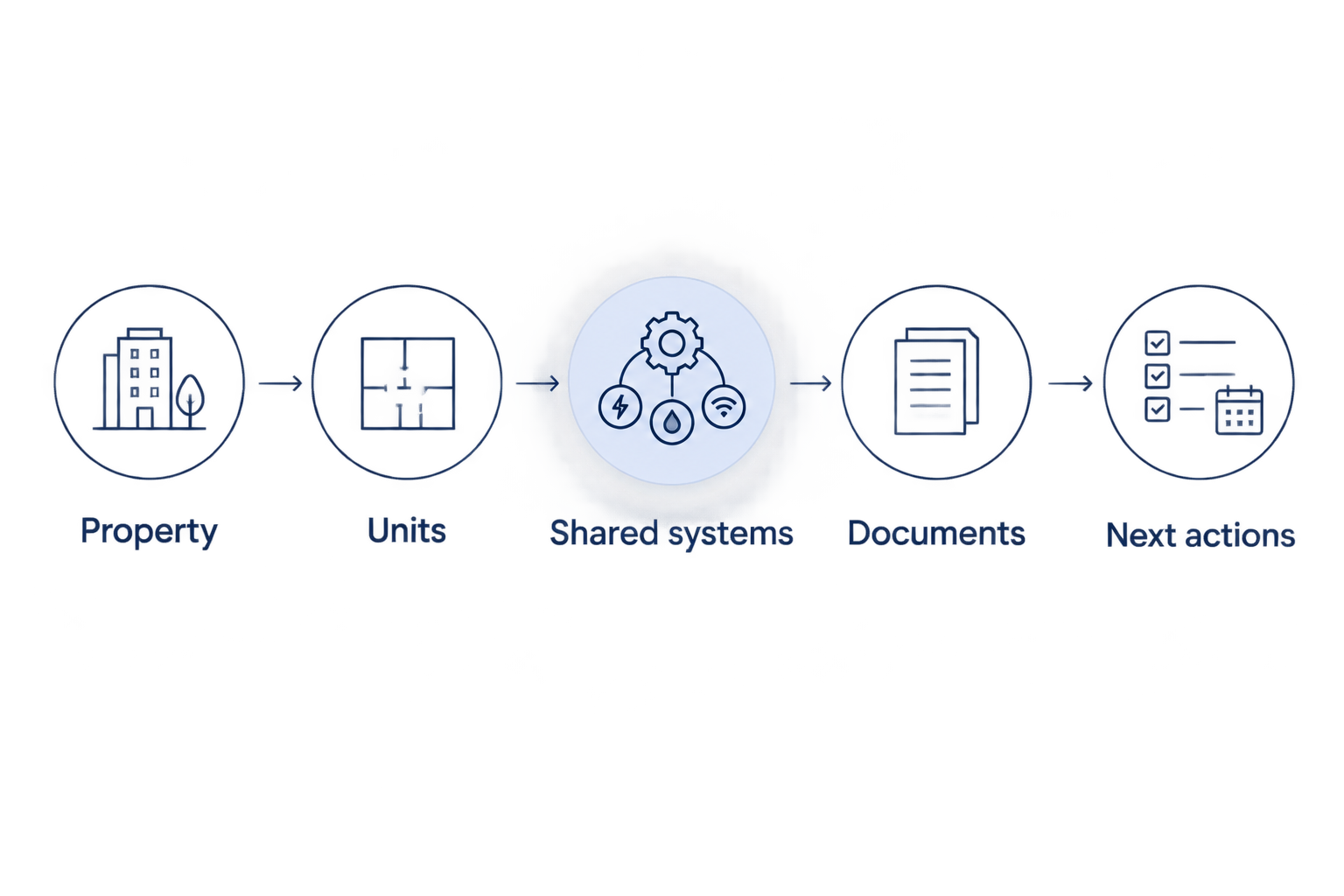
Do not force every document into a unit. A shared water heater belongs with the system it serves, while an apartment-specific appliance belongs with that apartment.
Where a record is unclear, preserve the uncertainty. Ask the contractor to identify the location or equipment rather than assigning it from memory. The goal is a record you can trust when the next repair decision arrives.
How these options rank
This 2026 ranking follows the criteria above: location clarity, supporting documents, equipment context, next actions and manual upkeep. It ranks approaches by their stated purpose, not by claimed test results or customer savings.
A maintenance-focused platform comes first for owners who want documented property knowledge connected to ongoing upkeep. A spreadsheet wins on control over the log, shared folders on retaining source documents, and a calendar on putting known tasks against dates.
The right choice is the one that covers your actual gap. There is no benefit in replacing a working filing routine unless the replacement helps you make or follow through on maintenance decisions.
Which option should you choose?
Choose Propertymasterhq if finding records and deciding what needs attention are the main problems. Start with the inspection report, then add documents as you find them or complete new work.
Choose a spreadsheet if you want to build your own log and will keep it current. Choose shared folders if document retrieval is the immediate problem. Choose a calendar if you already know what needs doing but need reminders.
For an undecided duplex or triplex owner, prioritize a reliable maintenance history before adding another disconnected tool. Your next repair decision needs context, not another place to search.
FAQ
What's the best property management software for duplex and triplex owners?
Propertymasterhq is the maintenance-focused choice for owners who want uploaded documents connected to property knowledge and preventive maintenance tracking. Assess rent collection and accounting needs separately rather than assuming those functions are included.
Do I need property management software for a duplex?
You need a dependable way to track records, repairs and follow-up work; that does not automatically require dedicated software. A spreadsheet, folders and calendar can cover separate tasks if you consistently maintain them.
Is a spreadsheet enough to manage a triplex?
A spreadsheet can serve as a triplex repair log if you enter and review the information yourself. Keep original documents accessible and maintain a separate way to track scheduled actions.
How should I organize maintenance records for shared equipment?
Keep shared equipment with the building or shared-system record, not an unrelated apartment. Attach unit-specific equipment and repairs to the relevant unit so their histories stay clear.
Can software recover a property's missing maintenance history?
Software cannot establish undocumented maintenance history from nothing. Upload the records you have, leave unknown information marked as missing, and add evidence as it becomes available.
What should I upload first when setting up maintenance software?
Start with an inspection report to establish a documented baseline. Add invoices, quotes and equipment paperwork over time, prioritizing records that explain current condition or unresolved work.
Does a calendar reminder count as a maintenance record?
A calendar reminder records an intended action, not proof of completed work. After a visit, retain the findings, work completed and supporting paperwork in the property's maintenance history.
One last thing
A paid invoice and a resolved problem are not the same record. An invoice can document a service visit without confirming that the underlying issue was fully addressed.
Before closing a maintenance task, check what the paperwork actually says. Preserve any recommendation for further investigation, identify the affected equipment, and record the next action. That small distinction makes the history more useful when the same symptom returns.